Your product, configurable in 3D on your own site
Upload the model, mark the parts that change, and publish it. No code.
This is what your customer will see, inside your own site. Try it.
Paint
Wheels and trim
- Automotive
- Marine
- Interiors
- Furniture
- Machinery
You click a part. It becomes an option.
You do not need to know what the material is called inside the file, touch the scene graph, or open a 3D application. You point at the part on the model, name it, and add finishes. The configurator writes itself as you go:
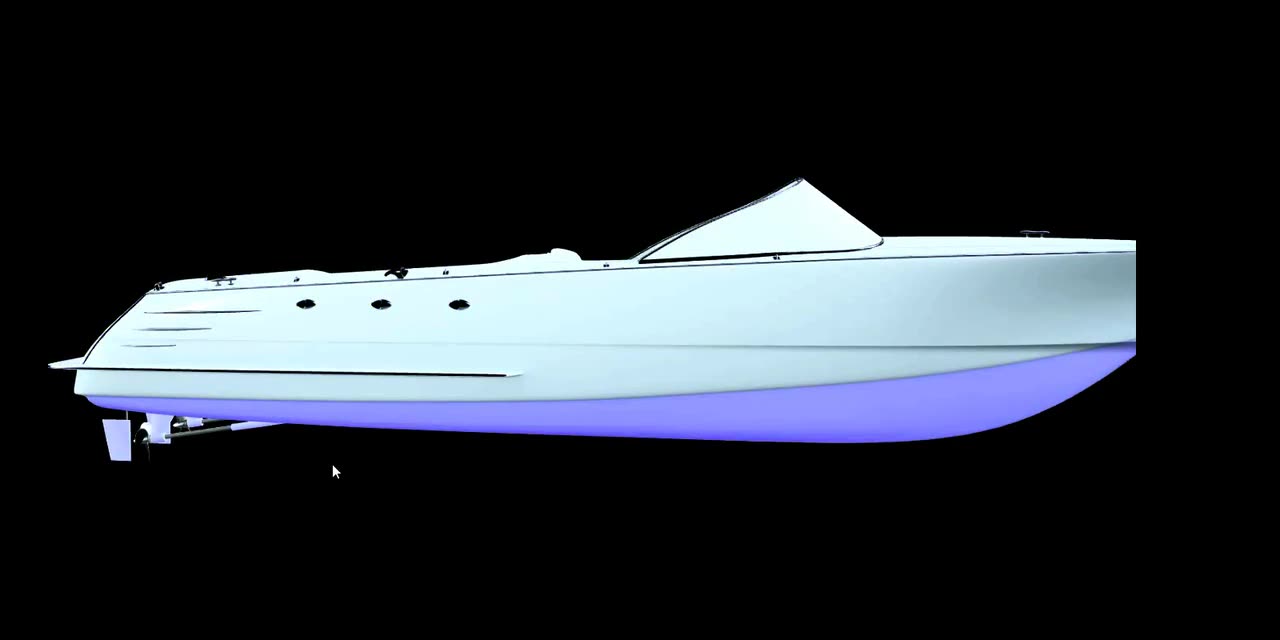
Demo: clicking a part of the model — the hull, the deck or its fittings — selects that part and turns it into a configurable option.
- 01
Get the model
Upload your 3D file in any common format and it converts itself. If you do not have one, generate a draft with AI from a photo of the product.
- 02
Mark the parts
Click a part of the model and turn it into a configurable option. You give it a name, finishes and a price. No material names, no code.
- 03
Publish and share
You get your own public link and an embed code to drop the configurator into your site, carrying your brand colours and theme.
The price isn't calculated by the buyer's browser .
Every combination is priced and signed on your server. What reaches your inbox — or your shop's cart — is the amount you set, not one someone could edit with the browser's developer tools.
What leaves the browser
- Oak · 1,600 mm · black handle
What the buyer picked, and nothing else. The price they see on screen goes out unsigned on purpose: it is there to be read, never to be charged.
What your server signs
- €1,284.50
- in 15 minutes
- a3f9…7c21
The same calculation, done again where nobody can touch it. Whoever redeems it — your shop, your inbox — checks the signature before accepting it.
Once the configurator works, keep going .
The same product, extended from the same editor. Switch them on one at a time, when you need them.
View in your space
Your customer places the product at real size in their living room, in the colours they just picked.
Mechanisms
Open a door, lift a bonnet, look inside.
3D on scroll
The product moves on its own as the visitor scrolls down your page.
Selling in a shop
The configured price goes into your Shopify or WooCommerce cart.
Pricing
Start free with a real product. Change plan when you publish it.
Free
€0
- 1 configurator
- 7-day preview link
- 1 AI 3D generation, to try it
- Confsas3D signature in the viewer
Pro
Recommended€29
Founder price — 50% off for the first 12 months, for the first 20 customers. All we ask in return is your feedback.
- Publishing: own link and embed
- Unlimited configurators
- 20 AI 3D generations a month
- Viewer with no Confsas3D signature
- Lead capture and basic analytics
Business
from €299
- Everything in Pro
- Your own domain
- Full white label
- Priority support
The three plans, side by side
| Feature | Free | Pro | Business |
|---|---|---|---|
| Configurators | 1 | Unlimited | Unlimited |
| Publish on your site | Not included | Own link and embed | Own link and embed |
| Link for showing it | Preview, 7 days | Permanent | Permanent |
| AI 3D generations | 1, to try it | 20 a month | 20 a month |
| Confsas3D signature in the viewer | Yes | No | No |
| Lead capture | Not included | Yes | Yes |
| Analytics | Not included | Basic | Basic |
| Viewer white label | Not included | Colour, corners and theme | Full |
| Your own domain | Not included | Not included | Yes |
| Support | By email | By email | Priority |
Does it work for a product like yours?
If your product has distinct parts and is sold today with a book of swatches or a table of variants, it fits. Pick your sector:
Automotive
Bodywork, wheels, upholstery and trim packages on the vehicle or the complete accessory, with the price of each combination.
Marine
Hull, deck, upholstery and equipment options on a boat — exactly the kind of purchase nobody closes without seeing it configured.
Interiors
Finishes, woods and textiles on a made-to-measure piece, so the client combines them before the quote exists.
Furniture
Fabrics, boards and fittings on a catalogue item, with the variants that live in a PDF of swatches today.
Machinery
Options, configurations and versions of an industrial machine, with the cost of each option adding itself up.
Frequently asked questions
What is Confsas3D?
Confsas3D is a web platform that turns a 3D model into an interactive, publishable product configurator, without writing code. It is built for manufacturers of configurable physical products — automotive, marine, interiors, furniture, machinery — who want their customer to see and combine finishes on the real product before asking for a quote.
Do I need to know how to code?
No. The whole process, from uploading the model to publishing the configurator, is done with clicks. The only moment code appears is the snippet you copy to embed the viewer in your site.
Which sectors and products is it for?
Any physical product sold with options: automotive, marine, interiors, furniture and machinery are the most direct cases. The practical rule is that the product has distinct parts whose colour, material or finish can be changed. If your product is sold today with a book of swatches or a table of variants, it fits.
Which 3D model formats do you accept?
GLB is the recommended format because it is the one we process best. OBJ and FBX are converted automatically when you upload them.
What if I have no 3D model of the product at all?
You can generate one with AI from a photo. What you get is a textured draft — a starting point you refine — not a finished production model. It is produced by an external AI provider, so the result is not guaranteed: quality, textures and how it splits into parts vary from product to product, and on complex shapes it can fall short. It is enough to get the configurator standing without commissioning modelling from scratch; if you need fidelity, upload your own model.
Where does my configurator get published?
You get your own public link and an embed code for your site. The viewer takes on your brand’s colour, corner style and light or dark theme.
Does the viewer carry your branding?
On the Free plan there is a discreet signature, both on the preview link and on any images downloaded from it. From Pro onwards the viewer is entirely yours: it is the surface your customer sees, and it has no business carrying a supplier’s logo.
What exactly can I do on the Free plan?
Build a complete configurator with your model and show it to anyone through a temporary 7-day link. What it does not include is publishing: the permanent link, the code to embed it in your site and lead capture are Pro features. It is genuinely free and does not expire; we do not ask for a card to start.
How much do AI generations cost?
Pro includes 20 a month. If you need more, or you are on Free, they are bought in one-off packs: 5 for €15, 20 for €49 or 50 for €99. Purchased credits do not expire. Every attempt uses one, whether or not the result convinces you, because the cost comes from the processing. For comparison: commissioning the 3D modelling of a product costs between €150 and €800.
Put your product up to be configured.
Free to start, no card. Your first configurator can be published today.
Create a free account